Organizational Unit (OU) - Delegate
Control
Chuẩn bị:
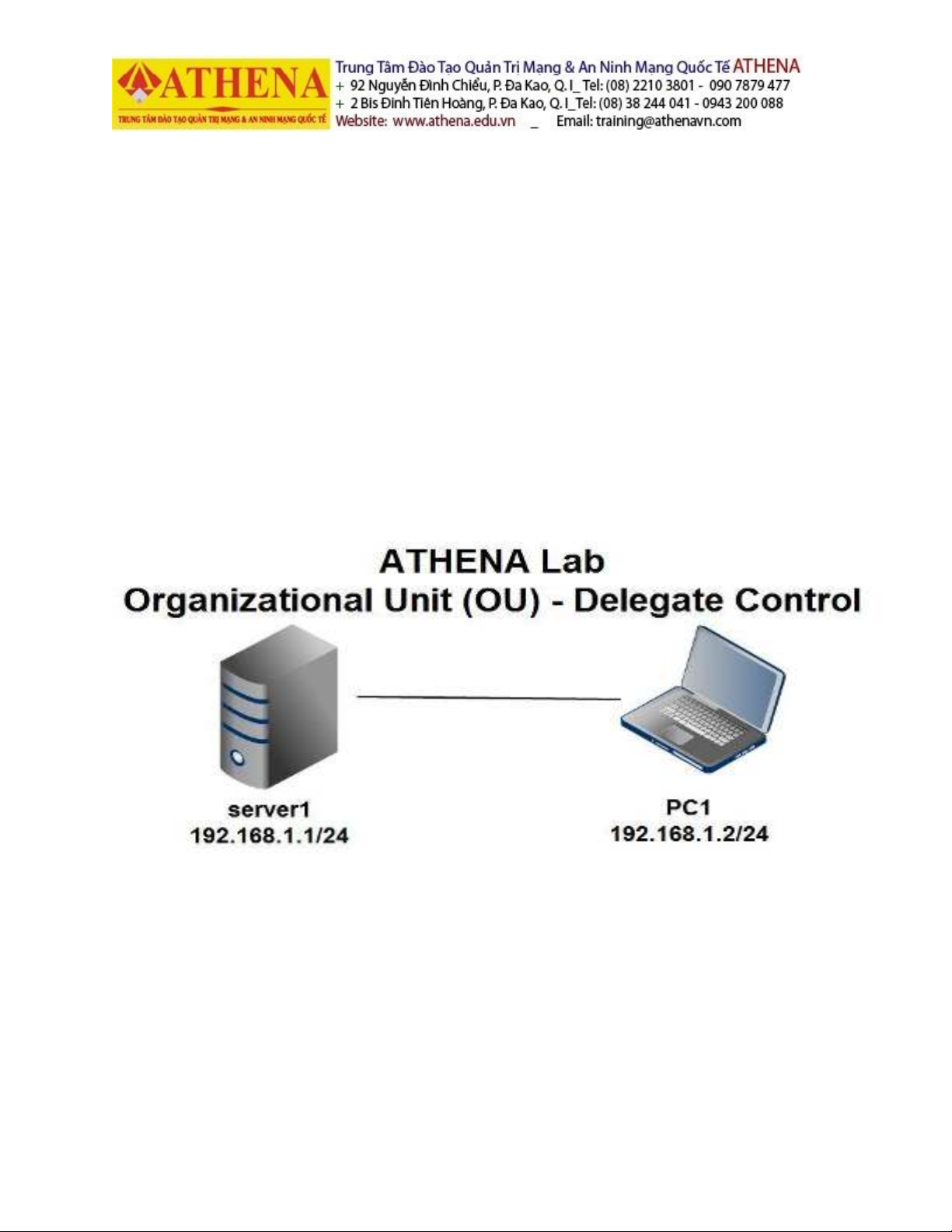
- Máy Windows Server 2008 (đã nâng cấp Domain): Server 1
NIC 1: 192.168.1.1/24
- Máy Windows 7(đã join domain và cài Remote Server Administration Tools): PC 1
NIC 1: 192.168.1.2/24
Mô hình:
Mục tiêu bài LAB:
- Cấu hình các vấn đề về Organization Unit và Delegate Control.
- Mục tiêu cuối cùng: cấu hình thành công các vấn đề về Organization Unit và Delegate Control.
Lưu ý:
Khi thực hiện trên máy ảo VM-ware, các card mạng sẽ thiết lập ở chế độ HOST ONLY,
Nên tắt tính năng Windows Firewall trên các máy Server và PC.
Thực Hiện:
Bước 1(tạo 1 OU mới và thực hiện xóa thành công OU đó):
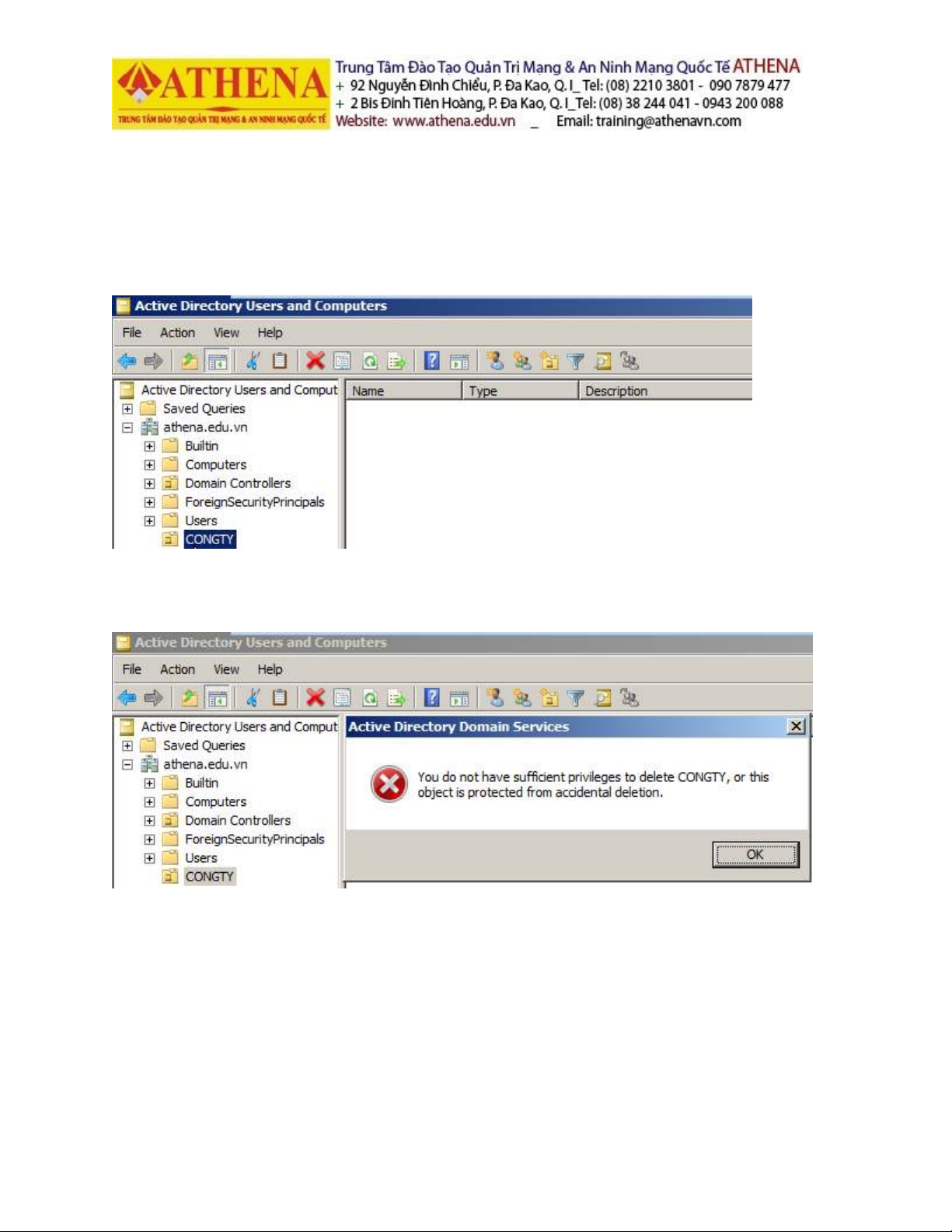
Trên máy server1, vào Start -> Run rồi gõ dsa.msc để vào Active Directory Users and
Computers. Trong Active Directory Users and Computers, tạo thành công OU CONGTY:
Trong Active Directory Users and Computers, xóa thử OU CONGTY và thấy thông báo lỗi
xóa thất bại:
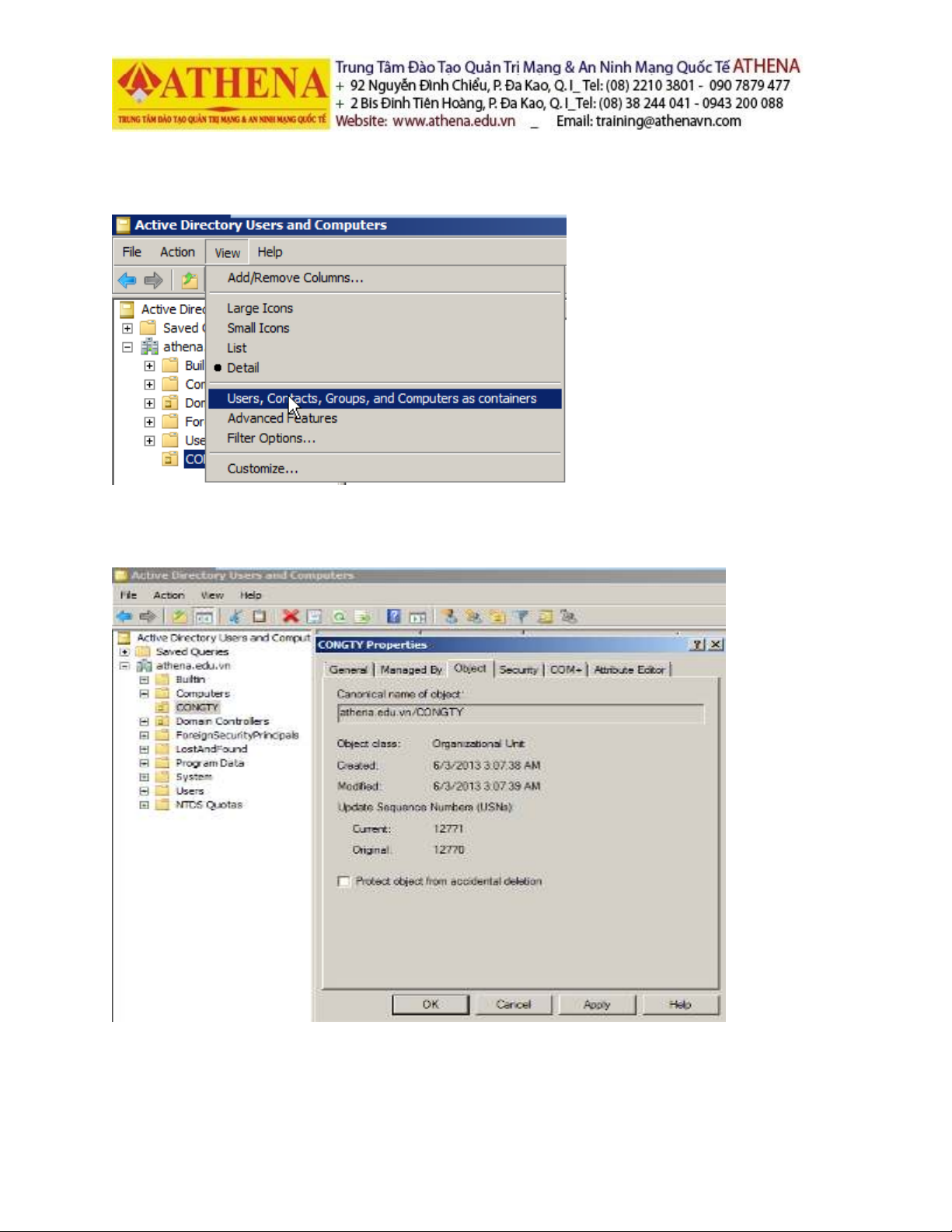
Để xóa thành công OU CHA, trong Active Directory Users and Computers ta sẽ chọn View
rồi chọn Advanced Features:
Trong CONGTY Properties, ta sang tab Object để bỏ check ở phần Protect Object from
accidental deletion:
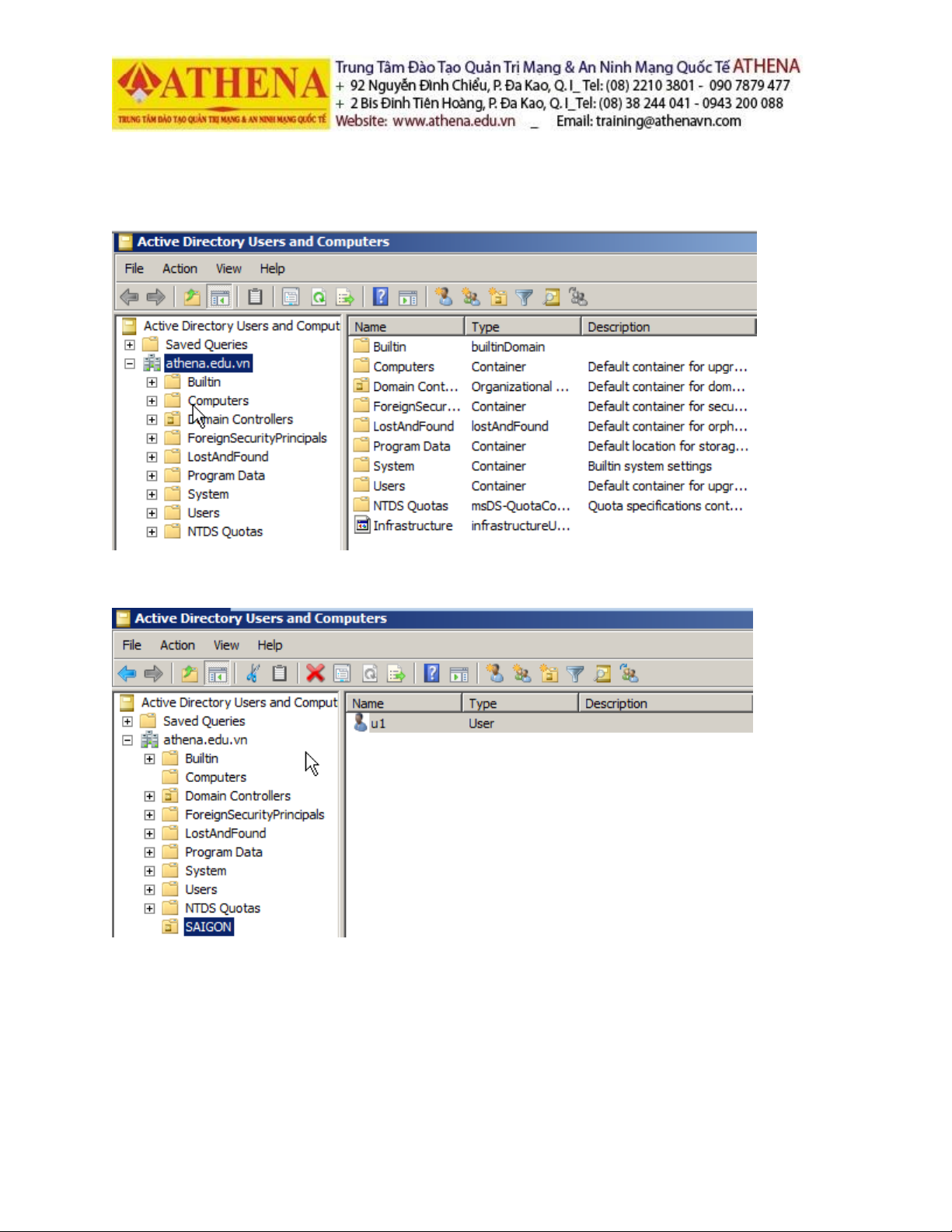
Trong Active Directory Users and Computers, ta đã xóa thành công OU CONGTY:
Bước 2(tạo OU với tên SAIGON và thêm user u1 vào OU này):
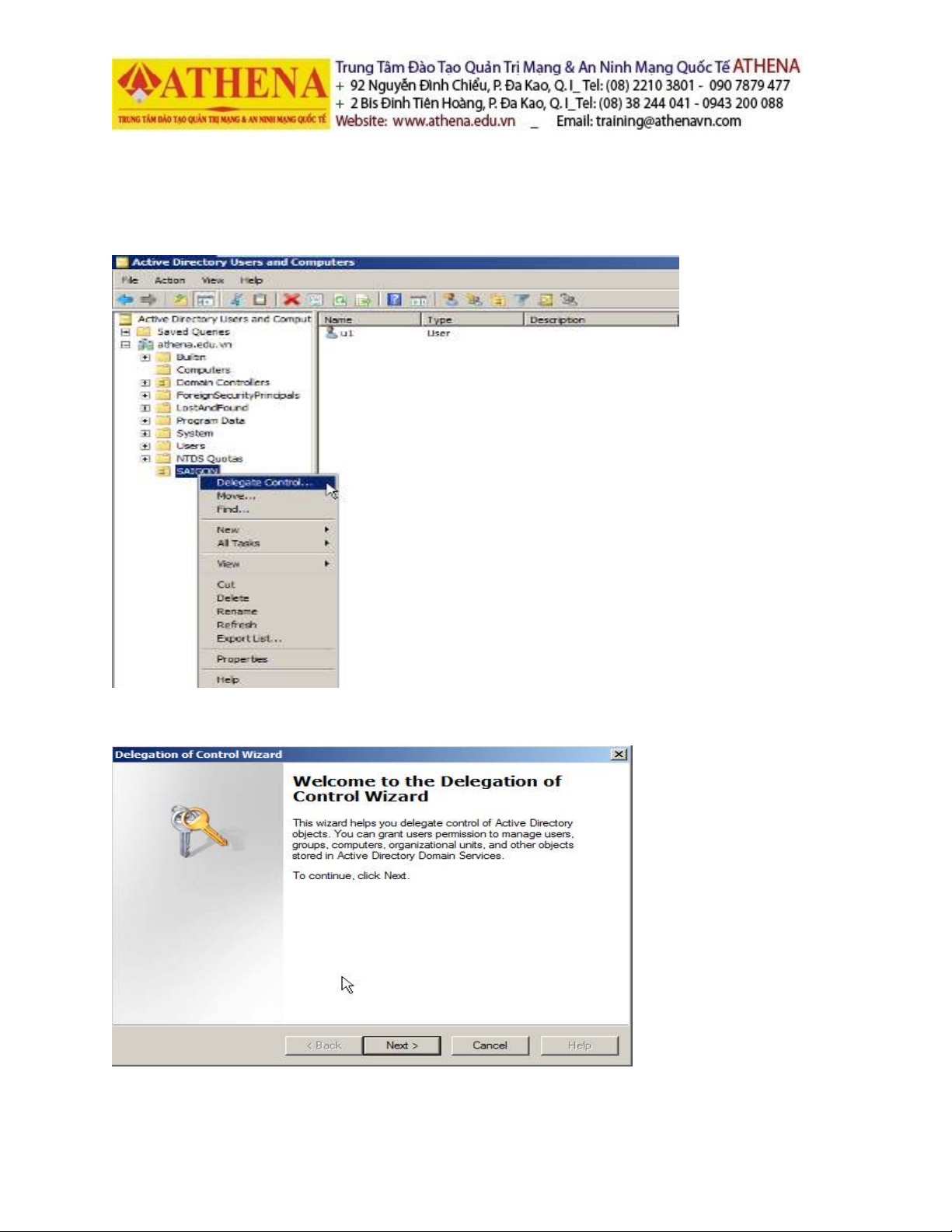
Bước 3(cấu hình Delegate Control cho OU này):
Trong Active Directory Users and Computers, ta chuột phải vào OU SAIGON và chọn
Delegate Control:
Trong cửa sổ Welcome to the Delegation of Control Wizard, ta chọn Next:











![Đề thi cuối kì Nhập môn Mạng máy tính: Tổng hợp [Năm]](https://cdn.tailieu.vn/images/document/thumbnail/2025/20251110/nminhthoi53@gmail.com/135x160/38281762757217.jpg)



![Đề thi học kì 2 môn Nhập môn Mạng máy tính [kèm đáp án]](https://cdn.tailieu.vn/images/document/thumbnail/2025/20251014/lakim0906/135x160/23811760416180.jpg)