
Vẽ Đèn Giao Thông!
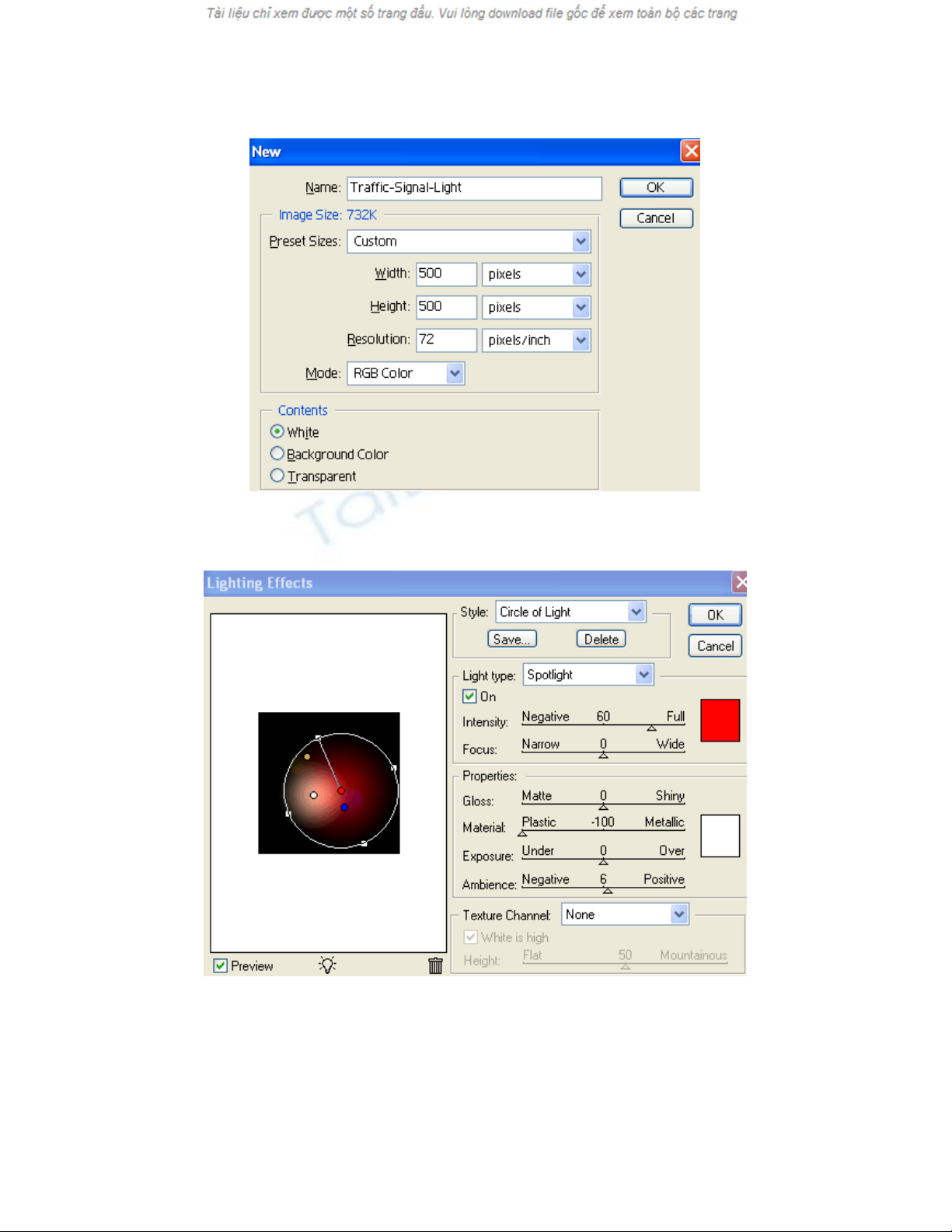
[2]-Now fill the Background with any color and go to Filter>Render>Lighting Effect
& use the following settings
[2]-Bây giờ hãy điền vào nền với bất kỳ màu sắc và đi vào Lọc> Render> Thắp sáng
& Hiệu quả sử dụng các cài đặt sau đây
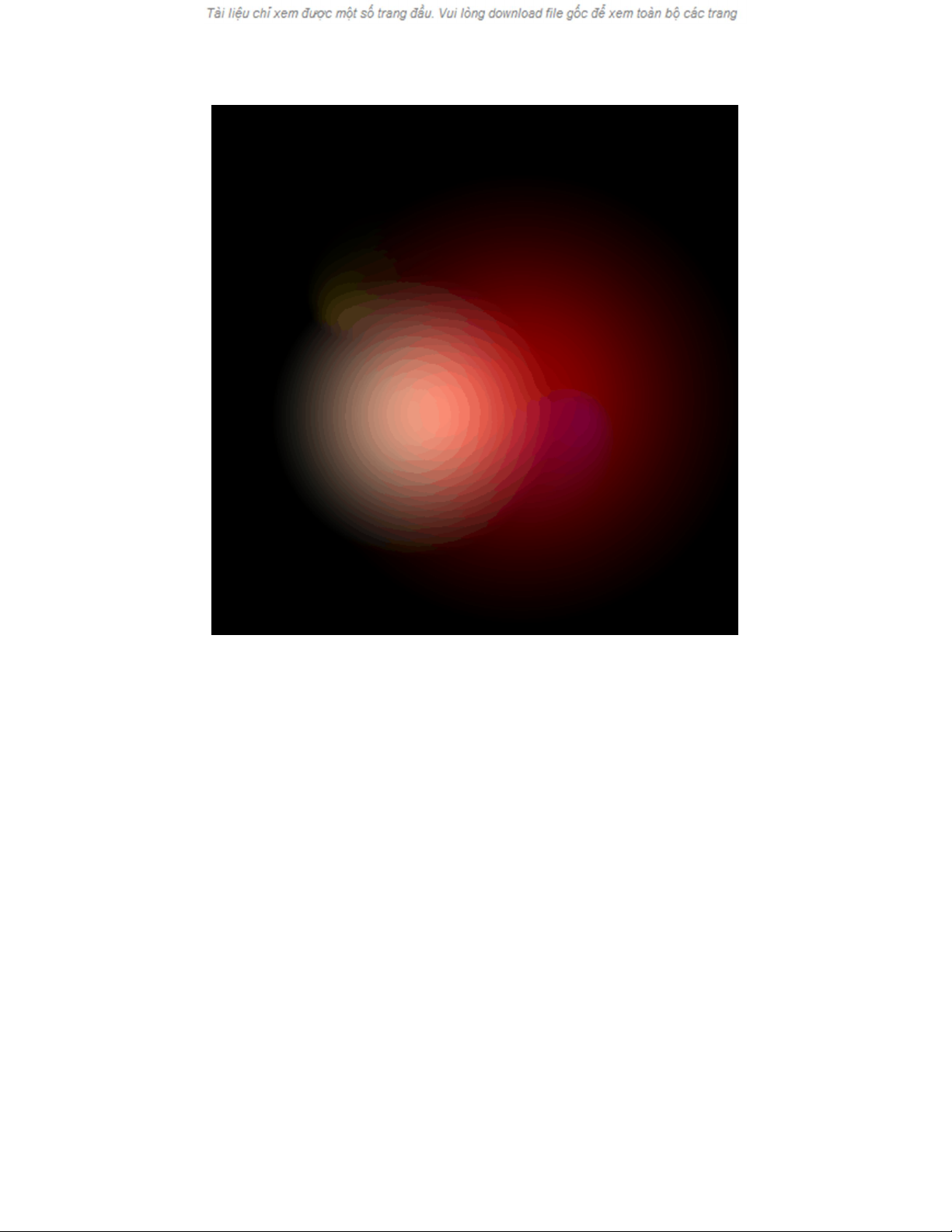
[3]-Now your image will be look as shown below
[3]-Bây giờ hình ảnh của bạn sẽ được xem như hiển thị dưới đây
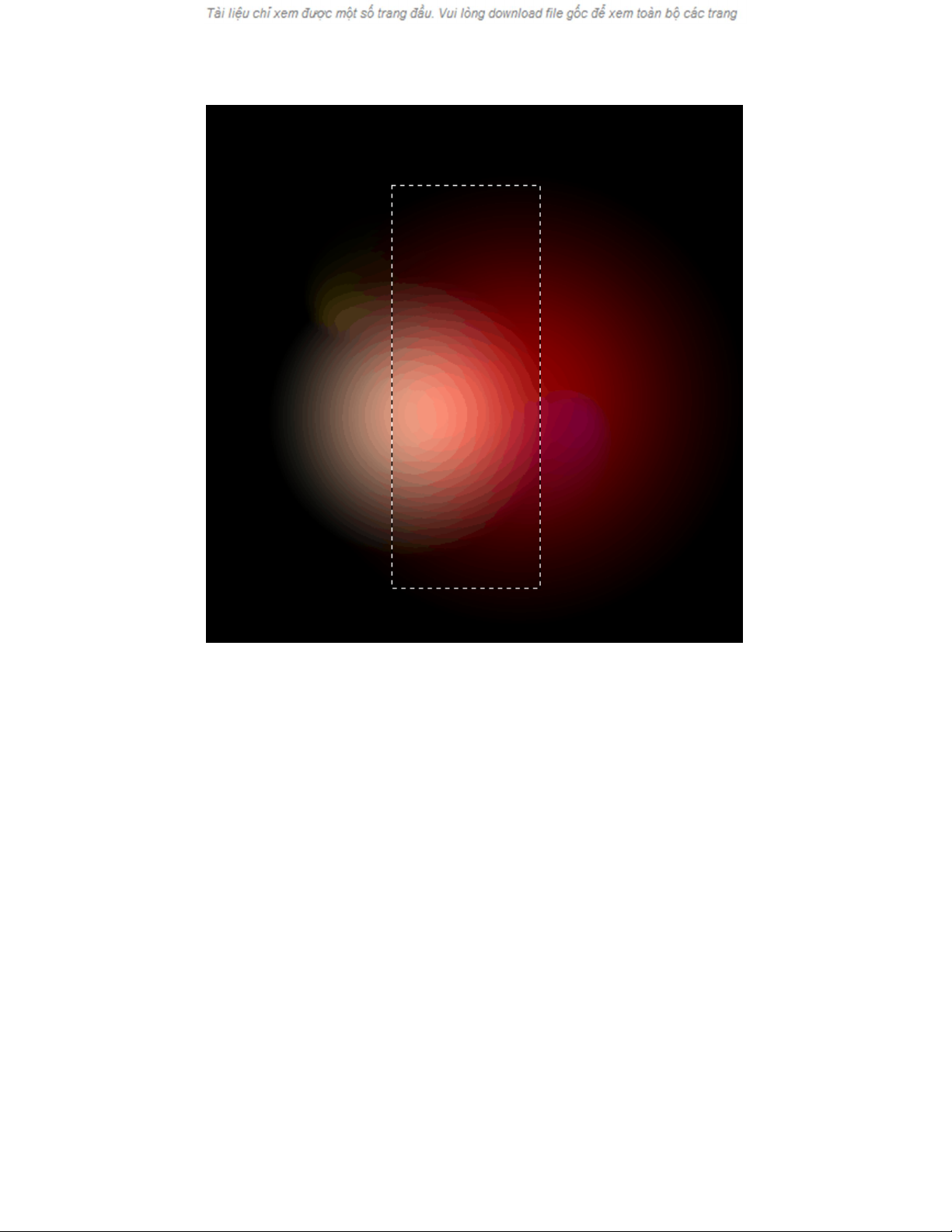
[4]-Now create the following selection with the help of Rectangular Marquee Tool
[4]-Bây giờ tạo ra các lựa chọn sau đây với sự giúp đỡ của Rectangular Marquee
Công cụ
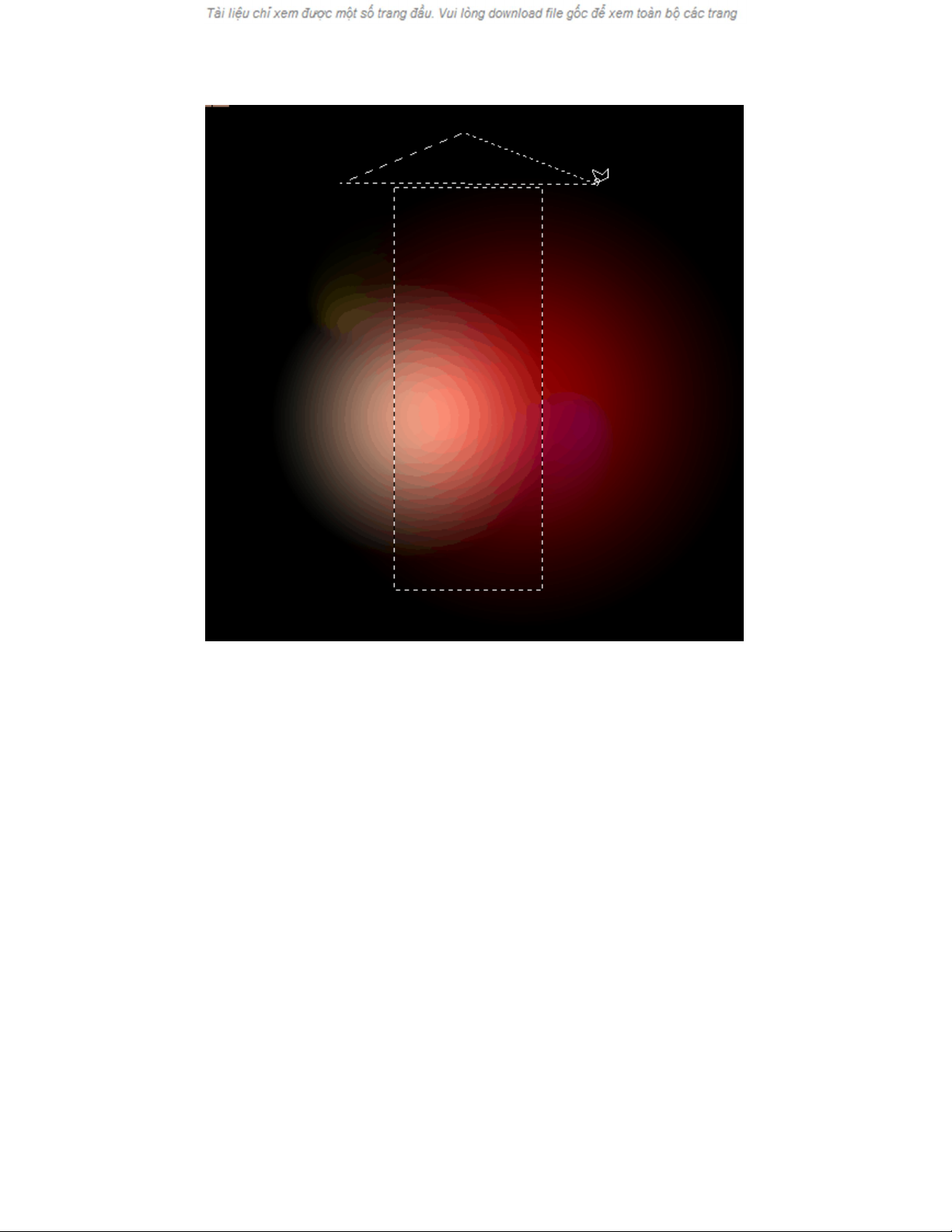
[5]-Now hold Shift & create the following selection with the help of Polygonal Lasso
Tool
[5]-Bây giờ giữ Shift & tạo ra các lựa chọn sau đây với sự giúp đỡ của Polygonal
Lasso Công cụ
[6]-Now fill the selection with any color & create the following selection with the
help of Polygonal Lasso Tool
[6]-Bây giờ hãy điền vào lựa chọn với bất kỳ màu sắc & tạo ra các lựa chọn sau đây
với sự giúp đỡ của Polygonal Lasso Công cụ
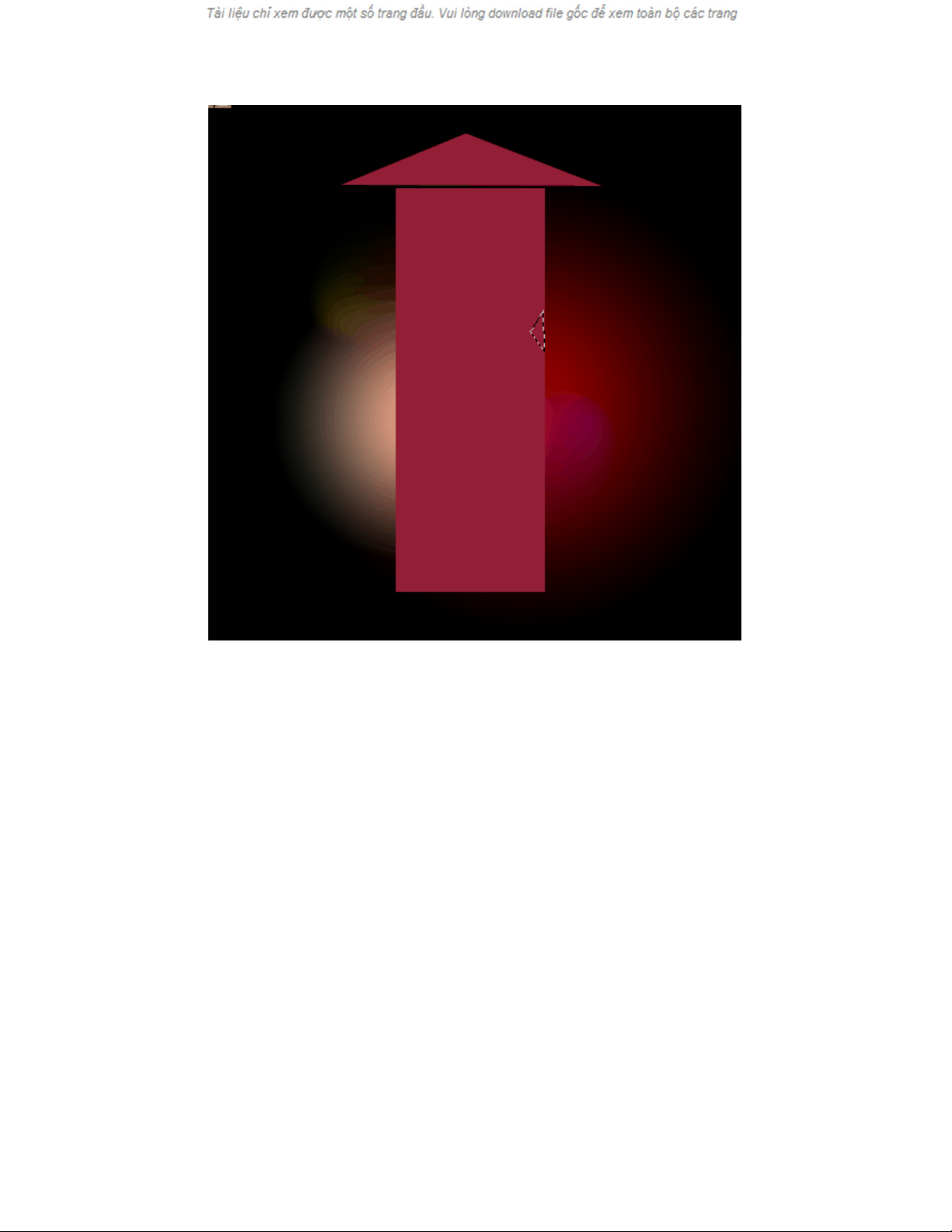
[7]-Now press ‘Delete’ and create another selection with the hlep of Polygonal Lasso
TOol& then ‘delete’
[7]-Bây giờ bấm 'Xóa' và tạo ra một lựa chọn với các hlep của Polygonal Lasso Công
cụ & sau đó 'xóa'




![Giáo trình Kẻ chữ cơ bản (Trình độ Trung cấp) - Trường Trung cấp Mỹ thuật - Văn hóa Bình Dương [Mới nhất]](https://cdn.tailieu.vn/images/document/thumbnail/2025/20251205/kimphuong1001/135x160/64541764908350.jpg)




![Giáo trình Kỹ xảo video Trường Cao đẳng Cơ điện Hà Nội [Mới nhất]](https://cdn.tailieu.vn/images/document/thumbnail/2026/20260323/lionelmessi01/135x160/79751774382791.jpg)


